nd678 App: Play Casino & Sports Betting on Android
Download the official nd678 App APK for Android. Access 3,200+ slots, live casino games, and sports betting with bKash deposits directly from your phone. No Google Play required.
Download APK (52 MB) Create AccountScan QR code below for direct download or visit nd678.ws/nd678-app/ on your mobile browser.
Download nd678 APK for Android
Get the latest version of nd678 App. File is safe, verified, and installs in under 2 minutes.
Download nd678.apkApp Information
| Version | 2.1.19 |
|---|---|
| File Size | 52 MB |
| Minimum Android | 7.0 (Nougat) or higher |
| Last Updated | November 3, 2026 |
| Price | Free |
| Languages | English, Bangla |
| Developer | nd678.ws |
| Requirements | Internet connection, 100 MB free storage |
Security & App Permissions
nd678 App uses standard permissions to deliver betting and casino features. We do not access your contacts, messages, or other apps. Below are the permissions required and why we need them.
Secure Direct Download
Our APK is hosted on our own server and signed with a verified certificate. No third-party app stores involved. File integrity is checked during installation to prevent tampering. Always download from nd678.ws to avoid fake versions.
Internet Access
Required to load games, place bets, process deposits and withdrawals, and sync your account. The app connects only to nd678 servers and authorized payment gateways like bKash. No data is sent to advertising networks or analytics services without your consent.
Storage Access
Used to cache game assets and save login session. This speeds up loading times and reduces data usage. You can clear app data anytime from Android settings without affecting your account balance or bet history on the server.
Push Notifications
Optional permission to receive deposit confirmations, withdrawal updates, and bonus alerts. You can disable notifications in app settings or Android system preferences. We do not send promotional messages through push notifications unless you opt in during registration.
nd678 App vs Web Version: Which to Choose
Both the mobile app and browser version offer full access to games and betting markets. The app provides faster performance and offline login, while the web version requires no installation. Choose based on your preference.
| Feature | nd678 App (APK) | Web Version (Browser) |
|---|---|---|
| Installation Required | Yes, 52 MB download | No, instant access |
| Game Selection | 3,200+ games | 3,200+ games |
| Loading Speed | Faster (cached assets) | Depends on connection |
| Offline Login | Session saved | Internet required |
| Push Notifications | Real-time alerts | Not available |
| Storage Space | 100 MB (app + cache) | Minimal browser cache |
| One-Tap Access | Home screen icon | Bookmark required |
| Auto-Updates | Manual (APK download) | Automatic (browser refresh) |
| Deposits & Withdrawals | bKash, Nagad, Rocket | Same methods |
| Compatibility | Android 7.0+ | All devices with browser |
Both options support the same payment methods, bonus offers, and VIP program. If you have limited storage or prefer not to install apps, use the mobile web version at nd678.ws. For frequent players who want faster load times and push notifications, the APK is recommended.
What You Can Play on nd678 App
The app includes the full nd678 casino and sportsbook. Browse by category or search for specific games. All titles support portrait and landscape orientation.

Slots & Crash Games
Over 2,400 slot titles from JILI, Pragmatic Play, JDB, and Habanero. Includes progressive jackpots, multiplier slots, and Crash games like Crash Goal. Bet from ৳1 to ৳50,000 per spin. Filter by RTP, provider, or new releases. Demo mode available before real money play.

Live Casino & Table Games
Real dealers host Baccarat, Blackjack, Roulette, and Dragon Tiger tables. HD video streams with chat function. Tables available 24/7 with bet limits from ৳50 to ৳100,000. Classic RNG table games also included if you prefer automated versions without wait times.
Sports Betting
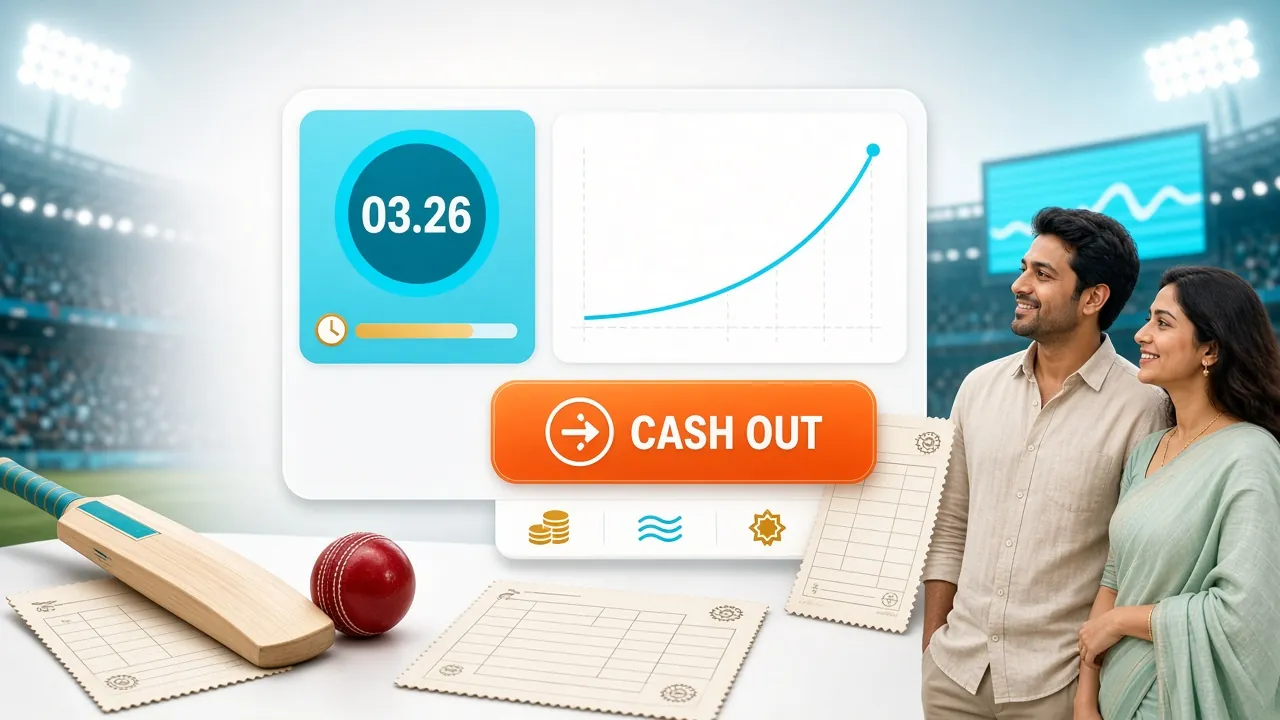
Bet on BPL, IPL, PSL cricket matches plus football leagues and tennis tournaments. Pre-match and live betting with odds updated every few seconds. Place single bets or accumulators. Bet builder tool for custom markets. Cash-out option available on selected events.
Fishing & Arcade Games
Multiplayer fishing games like Star Fishing and Monkey King Fishing. Aim and shoot to catch high-value targets. Bonus rounds and jackpot fish add extra wins. Arcade category also includes scratch cards, mines, dice, and Keno with instant results.
Account Management
View balance, transaction history, and active bets from the app dashboard. Deposit via bKash, Nagad, or Rocket in under 2 minutes. Withdraw to bank or mobile wallet with processing in 10 minutes. Upload KYC documents directly through the app before your first withdrawal. Check bonus progress and VIP tier status in real time.
24/7 Support & Promotions
Access live chat support from the app menu. Support team responds in English or Bangla within 2 minutes. View current bonuses, reload offers, and cashback deals in the Promotions tab. Opt in to bonuses with one tap. Refer friends and earn ৳475 per successful registration.
To start playing, create an nd678 account and make a deposit of at least ৳150. New players receive a 165% bonus up to ৳10,000 on first deposit. For detailed game rules and strategies, visit our casino guide.
System Requirements & Compatibility
nd678 App runs on most Android devices released after 2016. Check the requirements below to confirm your phone supports the app.
| Operating System | Android 7.0 (Nougat) or higher. Devices running Android 6.0 or below cannot install the app. iOS users should use the mobile web version at nd678.ws or add the site to their home screen as a web app. |
|---|---|
| RAM | Minimum 2 GB recommended for smooth gameplay. Devices with 1 GB RAM may experience slowdowns during live casino streams or when multiple browser tabs are open. |
| Storage | 100 MB free space required (52 MB for APK file + 48 MB for cached game assets). Clear app cache regularly if storage is limited. Uninstalling the app removes all cached data but does not affect your account on nd678 servers. |
| Internet Connection | 3G or faster mobile data, or Wi-Fi connection. Live casino and sports betting require stable connection. Slow networks may cause buffering in live dealer games. Minimum 2 Mbps download speed recommended for HD video streams. |
| Screen Resolution | Works on all screen sizes from 4.5-inch phones to tablets. Games auto-adjust to portrait or landscape orientation. Larger screens provide better visibility for live casino tables and betting slips. |
| Processor | Quad-core 1.5 GHz or better. Most mid-range and flagship phones meet this requirement. Older budget models may have longer load times. |
Tested on Samsung Galaxy A series, Xiaomi Redmi, Realme, Oppo, and Vivo devices. If your device meets the requirements but the app crashes, update your Android system to the latest available version and restart your phone before reinstalling.
How to Install nd678 APK on Android
Installing an APK outside Google Play requires enabling one setting. Follow these steps to install nd678 App safely. The process takes under 3 minutes.
Enable Unknown Sources
Open Settings on your Android device. Go to Security or Privacy (location varies by brand). Find "Install unknown apps" or "Unknown sources" and select your browser (Chrome, Firefox, or Samsung Internet). Toggle the switch to allow installations from this source. This permission lets you install APK files not from Google Play. You can disable it after installation.
Download the APK File
Visit nd678.ws/nd678-app/ on your mobile browser or tap the Download button above. The nd678.apk file (52 MB) will download to your Downloads folder. Wait for the download to complete. Do not interrupt or close the browser. You will see a notification when the file is ready.
Open and Install
Tap the download notification or go to your Downloads folder. Select nd678.apk to open the installer. Review the app permissions listed on screen. Tap "Install" to begin. Installation takes 20–30 seconds. Do not press back or home during this time. When complete, tap "Open" to launch the app.
Log In or Register
If you already have an nd678 account, enter your username and password on the login screen. New users should tap "Sign Up" and provide email, phone number, and create a password. Verify your account via SMS code. Once logged in, you can deposit and start playing immediately.
Add to Home Screen (Optional)
For quick access, long-press the nd678 app icon in your app drawer and select "Add to Home Screen." The icon will appear alongside your other apps. You can also create a shortcut by opening the app, tapping the menu (three dots), and selecting "Create shortcut." This saves you from searching the app drawer every time.
For iOS Users: Apple does not allow third-party APK installations. Visit nd678.ws on Safari, tap the Share icon, then select "Add to Home Screen." This creates a web app icon that functions like a native app. You can log in and play the same games through Safari.
Fix Common Installation Problems
If the app does not install or crashes on launch, use this troubleshooting guide to identify and resolve the issue. Most problems are fixed by adjusting Android settings or updating your system.
| Problem | Cause | Solution |
|---|---|---|
| "App not installed" error | Unknown sources permission not enabled, or conflicting app signature from previous installation. | Enable unknown sources in Settings > Security. If you previously installed an older version, uninstall it first by long-pressing the app icon and selecting "Uninstall." Then download and install the latest APK. |
| APK file will not open | File corrupted during download, or insufficient storage space. | Delete the downloaded APK and re-download from nd678.ws. Ensure you have at least 100 MB free space. Check Downloads folder for multiple copies and delete duplicates. Clear browser cache if download keeps failing. |
| App crashes immediately on launch | Android version too old, or conflicting app running in background. | Update Android to latest version available for your device (Settings > System > Software update). Restart phone and try again. If the problem persists, check that your Android version is 7.0 or higher. Older versions are not supported. |
| Cannot log in or "Connection failed" message | Weak or unstable internet connection, or server temporarily unreachable. | Switch from mobile data to Wi-Fi or vice versa. Restart your router if using Wi-Fi. Try logging in from a browser to confirm the site is accessible. If the site works but the app does not, clear app data (Settings > Apps > nd678 > Storage > Clear data) and log in again. |
| Games load slowly or videos buffer | Low RAM, background apps consuming resources, or slow connection speed. | Close unused apps running in background. Restart your phone to free up memory. Test your connection speed at fast.com (minimum 2 Mbps required for live casino). Reduce video quality in app settings if available. Use Wi-Fi for live dealer games. |
If none of the above solutions work, contact nd678 support via live chat at nd678.ws or email [email protected]. Provide your device model, Android version, and a description of the error. Support team will respond within 30 minutes and may ask you to send a screenshot of the error message for faster troubleshooting.
Play Anywhere: nd678 on Your Android Device
-
Launch Games in 2 Seconds
Open the app, tap any game, and you're playing. No browser tabs or loading delays.
-
Deposit with bKash in the App
Use bKash, Nagad, or bank transfer directly from the app. Funds arrive in under 2 minutes.
-
Get Bonus Alerts
Receive push notifications for new promotions, VIP upgrades, and cashback credits.
-
Works on Older Phones
Runs smoothly on Android 7.0 and up. Just 52 MB install size, no high-end device needed.
Install nd678 APK: Step by Step
-
1
Download the APK File
Tap "Download APK" on this page or scan the QR code with your phone's camera. The file (nd678.apk, 52 MB) saves to your Downloads folder.
-
2
Enable Unknown Sources
Open Settings → Security → turn on "Install unknown apps" for your browser or file manager. This is a one-time permission. Android blocks APKs from outside Google Play by default.
-
3
Open and Install the File
Tap the downloaded nd678.apk file in your notification bar or Downloads folder. Tap "Install" when Android shows the app details screen. The app installs in under 30 seconds.
-
4
Log In or Register
Open the nd678 app from your home screen. Log in with your existing account or tap "Register" to create a new account in under 1 minute. No email or phone verification required to start playing.
-
5
Make Your First Deposit
Tap "Deposit" in the app, choose bKash, Nagad, or bank transfer, and enter the amount (minimum ৳150). Your account is credited in under 2 minutes. Claim your 165% welcome bonus and start playing.
Frequently Asked Questions
Is nd678 APK safe to install?
Yes. The APK file is signed with our verified certificate and hosted on nd678 servers. No third-party stores or file-sharing sites are involved. Android will verify the signature during installation to prevent tampering. Always download from nd678.ws to avoid fake versions. We do not upload the APK to external sites.
Why is nd678 App not on Google Play Store?
Google Play does not allow real-money gambling apps in most countries, including Bangladesh. All licensed betting and casino platforms distribute their apps as APK files directly from their websites. This is the standard method used by major betting sites worldwide. Installing from APK does not affect security or functionality.
Do I need to create a new account for the app?
No. Use the same username and password you created on the nd678 website. Your account, balance, bets, and bonus progress sync automatically across all devices. If you do not have an account yet, tap "Sign Up" in the app or visit nd678.ws/nd678-register/ to register. Account creation takes under 2 minutes.
Can I deposit and withdraw through the app?
Yes. The app supports all payment methods available on the website: bKash, Nagad, Rocket, and bank transfer. Minimum deposit is ৳150. Deposits appear in your account within 2 minutes. Withdrawals process in 10 minutes for verified accounts. First-time withdrawals require KYC document upload, which you can complete directly in the app under Account > Verification.
How do I update the app to the latest version?
App updates are not automatic. When a new version is released, you will see a notification in the app or on the nd678 homepage. Download the latest APK from nd678.ws/nd678-app/ and install it over the existing app. Your login session and cached data will remain intact. You do not need to uninstall the old version first unless instructed.
Will the app work on tablets or older phones?
The app works on tablets running Android 7.0 or higher. Larger screens provide better visibility for game tables and bet slips. Phones with Android 6.0 or below cannot install the app due to security library requirements. If your device is not compatible, use the mobile web version at nd678.ws, which supports all Android and iOS devices with a modern browser.
What should I do if my account is locked or I forgot my password?
Tap "Forgot Password" on the login screen and enter your registered email or phone number. You will receive a reset link via SMS or email within 2 minutes. If you do not receive it, check your spam folder. For account lock issues (usually due to multiple failed login attempts), contact live chat support at nd678.ws. The support team will verify your identity and unlock your account immediately.
Ready to Play on Your Phone?
Download nd678 App now and claim your 165% welcome bonus up to ৳10,000 on first deposit.
Download APK Create AccountNeed help? Contact support at [email protected]